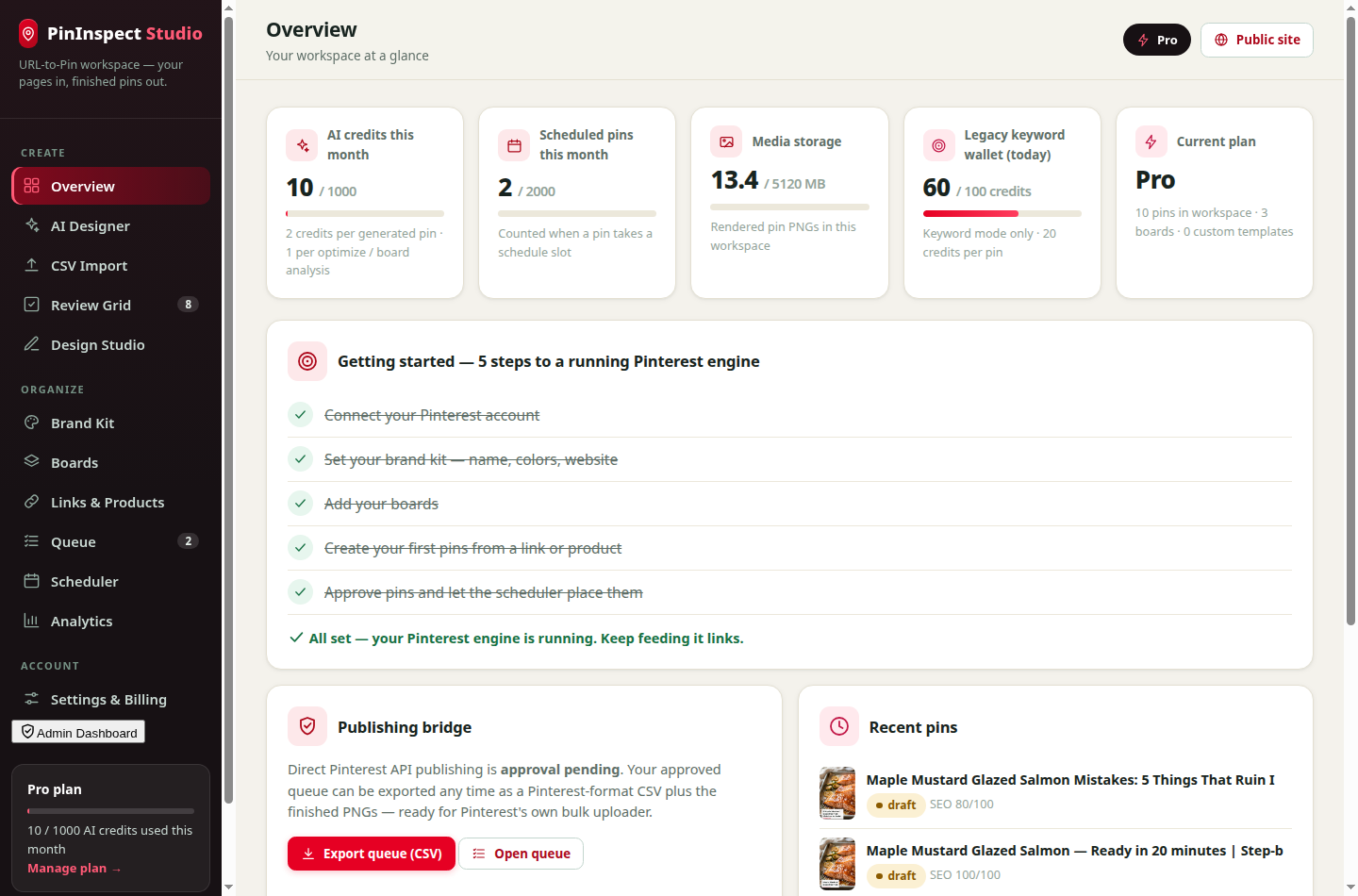
The real dashboard — plan usage, a 5-step getting-started checklist, recent pins and your review queue in one place.
Paste the URL of an article, recipe, guide or product page. Studio reads the page itself — its photos, its structured data, its real content — then writes keyword-first Pinterest copy, designs finished pins in your brand, matches boards and lines everything up in a protected schedule. You just approve.
You get 3 design directions with full title, description, alt text and a Pinterest SEO score for each.
The real dashboard — plan usage, a 5-step getting-started checklist, recent pins and your review queue in one place.
URL-to-Pin Studio is a web tool by PinInspect that converts any article, recipe, guide or product page URL into finished Pinterest pins. Instead of asking you to design from scratch, it reads the page you already published — its photos, its Recipe or Product structured data, its real content — then writes keyword-first Pinterest titles, descriptions and alt text, designs the pins in your brand, scores each pin for Pinterest SEO, and schedules the approved ones with protective spacing.
It is built for publishers and stores whose content already exists: bloggers turning posts into traffic, clothing and ecommerce brands turning product pages into shopping pins, and teams managing several Pinterest accounts under one brand kit. Every pin links back to the page it came from — the page with your checkout, your affiliate links, your email signup.
Most Pinterest tools make you start from a blank canvas. Studio starts from the page you already published — the one with your ads, your affiliate links, your checkout.
Studio fetches your page, extracts its structured data (recipes, products, articles) and scores every photo for Pinterest's 2:3 format.
For each page it drafts several creative angles — the recipe itself, the ingredients checklist, the mistakes post — each with keyword-first copy.
Your page's own photos are laid into Studio templates with your brand kit applied. Text is rendered precisely, never baked into an AI image.
Nothing publishes itself. You review every pin in the grid, fix what's off, and approve what ships.
Approved pins get slots inside your posting window with protective spacing, so a batch never lands as a spammy burst.
Three engines do the heavy lifting. Each one exists because the generic way of making pins quietly fails.
Studio parses your page's Recipe and Product data — ingredients, steps, times, prices — and turns it into pin angles a generic generator can't invent. A recipe page becomes a hero pin, an ingredients checklist and a mistakes post, all factually yours.
Every pin is scored 0–100 before you approve it — title length and keyword position, description depth, call to action, alt text, board fit — with the exact fixes listed when something falls short. No guessing what "optimized" means.
Pinterest rewards fresh pins and quietly buries near-copies. Studio fingerprint-checks each new pin against everything you've already made from the same URL and warns you before a duplicate ships.
Every image on your page is measured and ranked for Pinterest's portrait format — resolution, aspect fit, hero placement. Author avatars and tiny squares are filtered out automatically, so the salmon photo wins, not the headshot.
Six original layouts matched to the job — checklist layouts for list content, editorial frames for guides, bold bands for single claims — rotated across a batch so a campaign never looks stamped out.
Analytics watches which URLs and angles earn impressions, saves and clicks, then suggests re-running the winners with fresh designs — your best pages keep compounding instead of being pinned once and forgotten.
However your content already exists, there's a door for it.
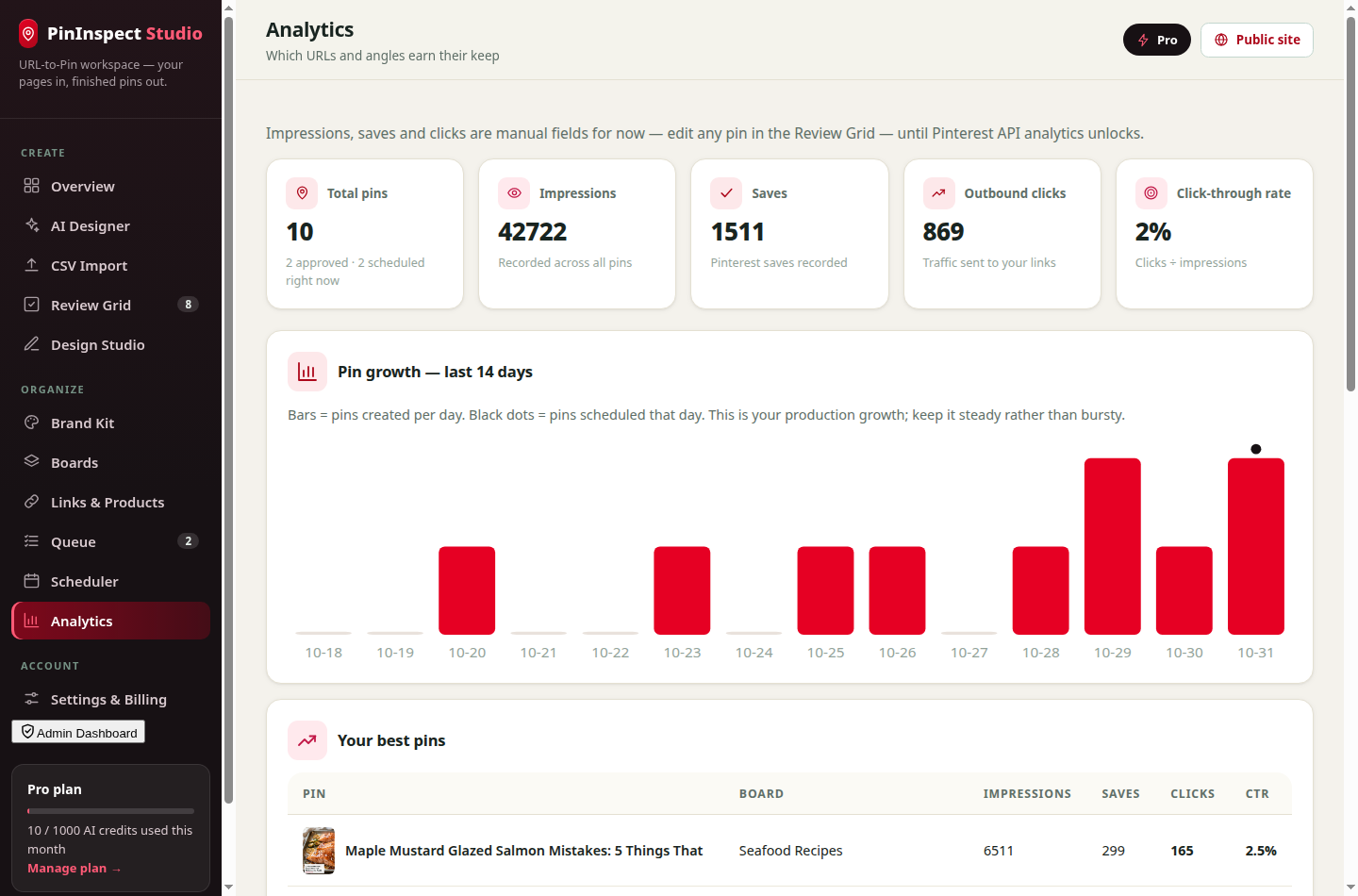
Link your Pinterest account to the workspace and Studio becomes mission control for your whole Pinterest presence — not just a pin maker.
Your product pages already carry everything a great pin needs. Paste a product link and Studio reads the product — name, brand, price, availability — and builds shopping-ready pins around it.
Start free. Paid plans open with a $0 first month for new subscribers.
Test the workflow
Serious solo publishers
$0 for your first month
Teams & client work
$0 for your first month
High-volume catalogs
$0 for your first month
Most pin tools start from an empty design and a stock library. Studio starts from the page that has to earn the click.
| URL-to-Pin Studio | Typical pin maker | |
|---|---|---|
| Starting point | Your published page URL | A blank canvas |
| Photos | Your page's own photos, scored for 2:3 | Stock or AI images you hunt for |
| Copy | Drafted from the page's structured data — ingredients, steps, prices | You write every title yourself |
| Pinterest SEO | 0–100 score with fixes on every pin | Not measured |
| Duplicate protection | Freshness guard per URL | None — easy to repost near-copies |
| Scheduling | Approval queue + protective spacing | Download and post by hand |
| Results | Per-pin and per-link analytics, winner re-runs | No feedback loop |
No — and that's deliberate. Your pages already have the right photos. Studio designs finished pins from your own images with precisely rendered text, so pins always match what the click delivers. If a page has no usable photo, Studio falls back to a designed text-led layout.
No. Each page gets several angles (the content itself, a checklist, a mistakes post…) and templates rotate across a batch. The anti-duplicate guard also warns you when a new pin is too similar to an earlier one for the same URL.
Yes — connect from the Boards page with your Pinterest username. Your workspace then carries your boards and profile, and scheduled pins are tied to your account. Direct publishing through Pinterest's official API is in approval; until it lands, one click exports your queue as a Pinterest-format CSV plus finished PNGs for Pinterest's bulk uploader. The connection card in your dashboard always shows which mode you're in.
No. Product pages are a first-class input: Studio reads the product name, brand, price and availability from your page's structured data and builds pins around them. The Links & Products view tracks every product's pins, impressions and clicks, so you can see what Pinterest shoppers respond to.
You approve pins into the Queue, and the Scheduler assigns protected time slots. Direct publishing through Pinterest's official API is in approval; until it lands, one click exports your queue as a Pinterest-format CSV plus the finished PNGs, ready for Pinterest's own bulk uploader.
Generating one pin (title, description, alt text, keywords and design) costs 2 credits. Board analysis costs 1 credit per page. The in-editor AI optimize costs 1 credit per pin. Scheduling itself is counted separately as your monthly scheduled-pin allowance.
Paste the post's URL into Studio. It reads the article, scores its photos for Pinterest's 2:3 format, drafts several angles with keyword-first titles and descriptions, and designs finished 1000×1500 pins in your brand. You review, approve, and schedule — the whole flow takes minutes, and the live demo on this page does it with no account.
Every pin is exactly 1000×1500 pixels — Pinterest's recommended 2:3 portrait ratio — rendered as a PNG with your brand kit applied.
Yes. Plans are monthly, limits are shown honestly in your dashboard, and your existing pins and exports stay yours.
Paste the first URL free — no account, no card — and watch Studio turn it into finished pins.
Try the live demo Create free account